

Copilot on Windows: New text editing feature begins rolling out to Windows Insiders
Hello Windows Insiders, we are excited to begin rolling out a new update for the Microsoft Copilot app on Windows that introduces the following changes and improvements:
Copilot Actions for Text Editing: Windows Insiders can use Copilot to rewrite, refine, or edit text in real time during Copilot Vision sessions, enabling smooth, in‑flow collaboration and editing. To start a Vision session, open the Copilot app and select the glasses icon in the bottom right of the chat bar. Then choose the window you want to share that includes a doc or app you are editing in, and Copilot will begin analyzing what’s on your screen. Place your cursor in any text field, click into the text field, and speak naturally, using your own words. For example, you could say, “rewrite this to be more formal”, “make this clearer”, or “simplify this text”. Copilot will then suggest an edit directly in-flow. You’ll see a preview before any changes are made, so you can accept or refine the suggestion while staying focused on your task. Copilot Vision remains a fully opt-in feature and will only be activated when a user chooses to turn it on.
Copilot Actions for text editing requires the Copilot Actions toggle to be enabled in Settings in the Copilot App. Users who enable this toggle will also have access to Copilot Actions for long-running tasks, a distinct feature in Copilot Labs which you can learn about here.
We’re continuously exploring how Copilot can empower users to be more productive, craft high-quality content, and reduce the friction of getting started. We’re actively refining this feature based on feedback and real-world use to better support those goals.
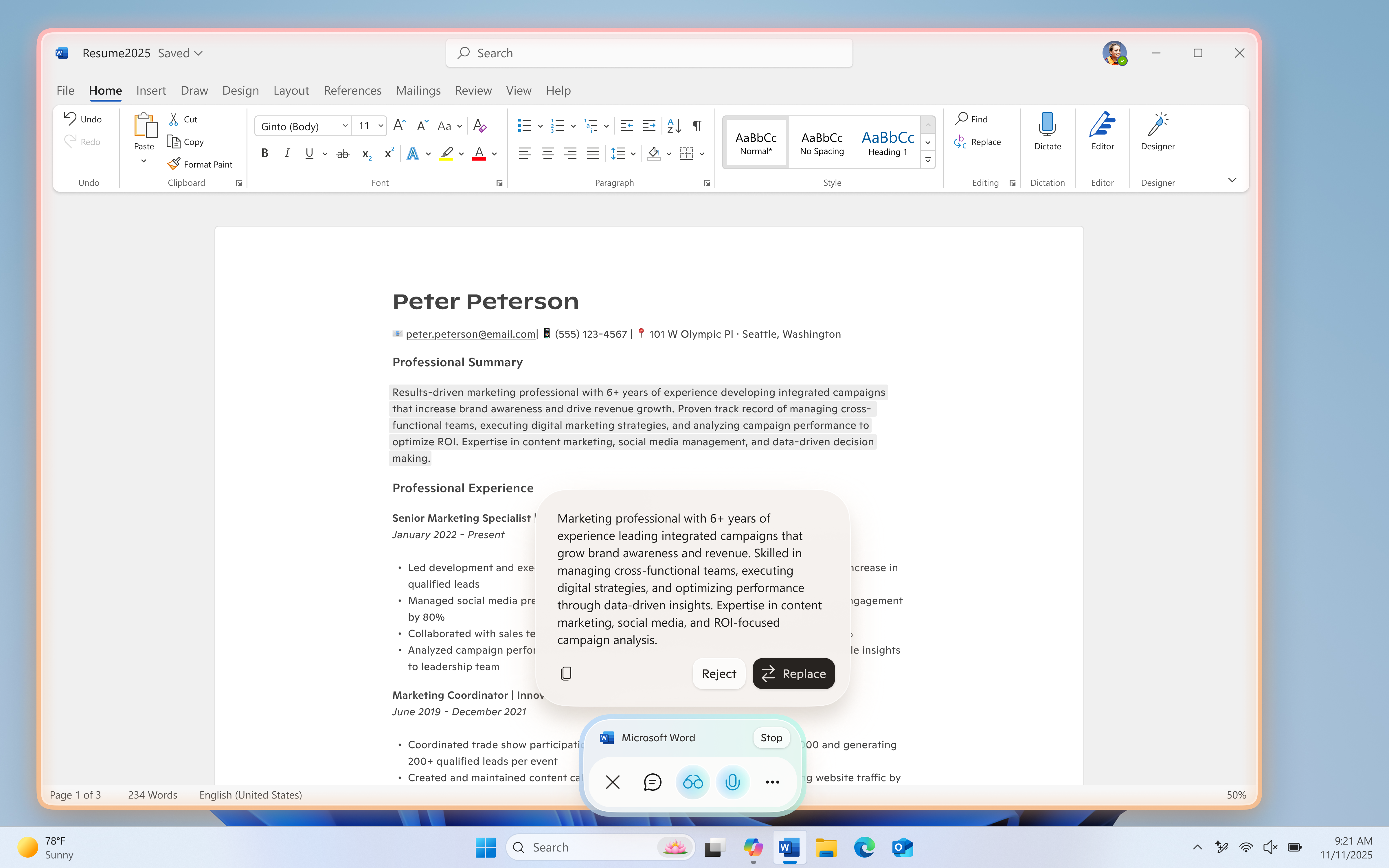
The latest Copilot app update (version 1.25121.60.0 and higher) is now beginning to roll out to all Insider Channels through the Microsoft Store. To use Copilot Actions for text editing, users will also need Windows version 26200.6899 or later. This feature is gradually rolling out to Windows Insiders worldwide, excluding the EEA, so availability may vary. We’re excited to preview these improvements with our Insider community and ensure we deliver a great Copilot experience for all Windows customers.
FEEDBACK: Please provide feedback directly within the Copilot app by clicking on your profile icon and choosing “Give feedback”.
Thanks,
Microsoft Copilot Team